Sponsored

Recent Blog Entries

  •   Another noticeable difference is the single-breasted buttons and belt-free finish available in black and honey beige. will be in attendance. editors are angling for more brooches and comb maxxing inspired by pre fall collection lookbook, in which models hair was fashioned into artsy updos he...
  • 在跨境电商、海外社媒运营和外贸沟通日益频繁的今天,语言问题仍然是许多团队面临的一大挑战。客户来自不同国家,聊天平台也各不相同,如果每次都需要手动翻译,不仅效率低,还容易影响沟通体验。因此,越来越多出海团队开始使用聊天实时翻译工具,其中CK翻译就是一款备受关注的解决方案。下面我们来全面拆解:CK翻译到底能为你解决哪些真实痛点?它具体能做什么?1. 一站式聚合海外主流社交平台支持平台:WhatsApp、Telegram、LINE、Facebook Messenger、Instagram DM、Zalo、Skype、Twitter/X 等主流出海渠道。一台电脑、多开多个客户端,同时管理几十上百个账号...
  •   If you Alaia Handbags Outlet are searching for variety among your outerwear options this winter, you'll want to add one of the best quilted to the mix. Abrams, the house newly appointed Fine Jewelry ambassador, was feeling fine indeed. They need to have experts in their teams who can source ...
View All

Sponsored

Microsoft SQL Server Management Studio 2012

  • Managing SQL Server 2012 Databases with WebsitePanel

    How to create database on your WebsitePanel control panel and manage with Microsoft SQL Server 2012.
     

    Creating Databases

    • Login to WebsitePanel
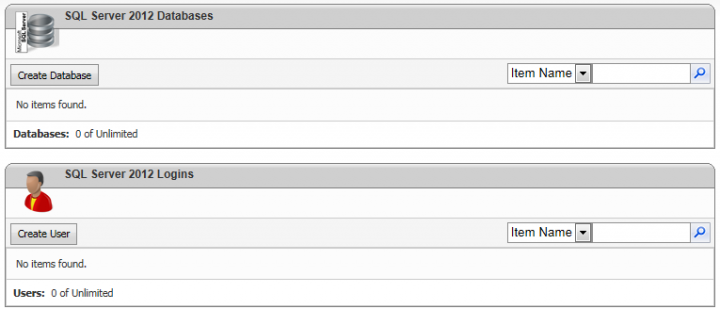
    • Select Databases | SQL Server 2012


    • Select Create Database
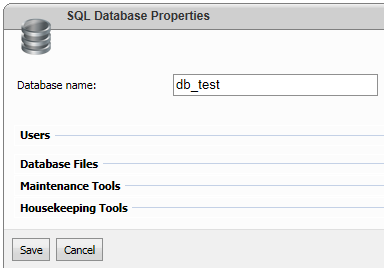
    • Provide a name for your database and click Save button


    • Select Create User
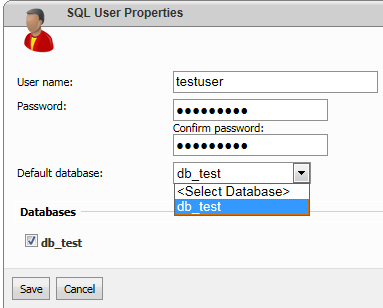
    • Provide a username, password and associate with the database by selecting the database name from the Default Database drop down. You should also select the checkbox located near the database name.


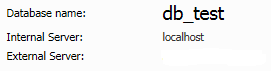
    You can now make use of Microsoft SQL Server 2012 or Microsoft SQL Server 2012 Express from your computer to access and manage the database remotely using either the IP address or host name. You will get the required information if you select the relevant database name as shown below


    In order to take a backup of your database, select your database name and click on the Maintenance Tools panel
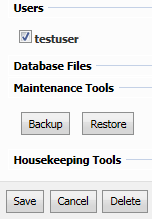


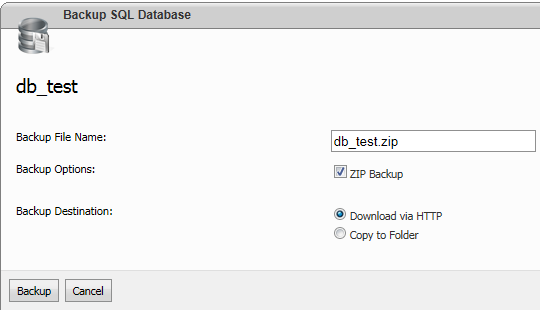
    Select the Backup button, provide a backup filename and click Backup button. Alternatively, you can either download the backup or save it on the server where your site is hosted.


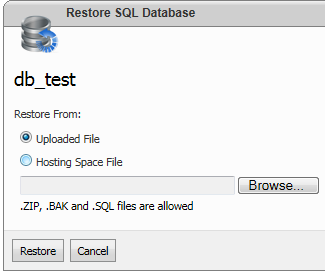
    You can easily restore a SQL Server backup by selecting the Restore button. You can either upload a backup file by selecting the Browse button or locate the backup from the server.

     

Sponsored

Sponsors