Sponsored

Recent Blog Entries

  •   Understanding the World of Poker Online The popularity of digital card games has increased massively, and Poker Online has become one of the most played games across the world. Players enjoy poker online because it combines skill, strategy, and excitement, all accessible from anywhere at an...
  • The phrase bandar togel 4D has become increasingly popular in online discussions about number-based games. As digital entertainment continues to expand, traditional lottery-style activities are finding new life through online platforms. Bandar togel 4D represents a modern interpretation of classic n...
  • The expansion of digital entertainment has reshaped how people interact with traditional games, and togel online is a clear example of this transformation. Once limited to offline participation and local communities, number-based prediction games have evolved into accessible online formats that reac...
View All

Sponsored

Microsoft SQL Server Management Studio 2012

  • Managing SQL Server 2012 Databases with WebsitePanel

    How to create database on your WebsitePanel control panel and manage with Microsoft SQL Server 2012.
     

    Creating Databases

    • Login to WebsitePanel
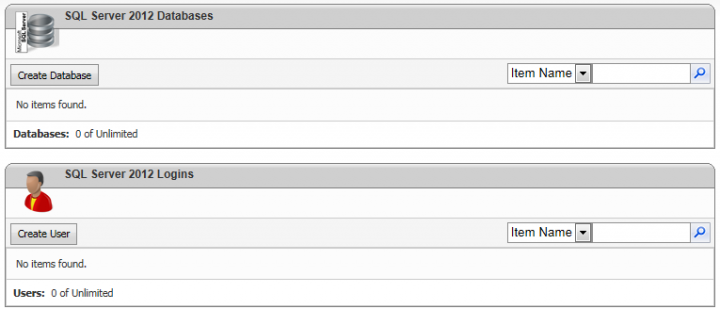
    • Select Databases | SQL Server 2012


    • Select Create Database
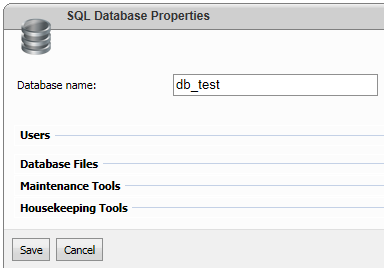
    • Provide a name for your database and click Save button


    • Select Create User
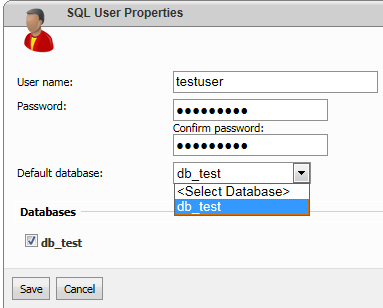
    • Provide a username, password and associate with the database by selecting the database name from the Default Database drop down. You should also select the checkbox located near the database name.


    You can now make use of Microsoft SQL Server 2012 or Microsoft SQL Server 2012 Express from your computer to access and manage the database remotely using either the IP address or host name. You will get the required information if you select the relevant database name as shown below



    In order to take a backup of your database, select your database name and click on the Maintenance Tools panel
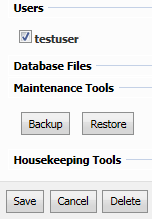


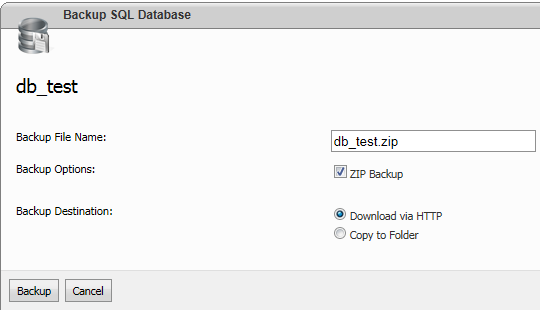
    Select the Backup button, provide a backup filename and click Backup button. Alternatively, you can either download the backup or save it on the server where your site is hosted.


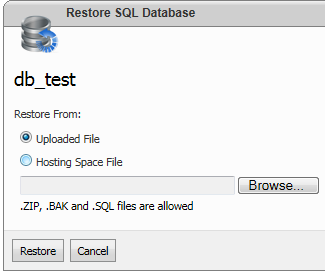
    You can easily restore a SQL Server backup by selecting the Restore button. You can either upload a backup file by selecting the Browse button or locate the backup from the server.

     

Sponsored

Sponsors